All Work > UX Case Study
Parental Control PIN Reset
Amazon Fire TV Project
Duration
10 weeks
Deliverables
CX and Prototype
Tools
Figma
Overview
The challenge
The existing PIN experience provides limited context, leaving customers unsure why they're being asked to enter a PIN. If they forget it, they must leave Fire TV to reset it through an external website.
The opportunity
Create a clearer, more connected recovery experience that explains the purpose of the PIN and allows customers to reset it directly on Fire TV using a one-time passcode.
The proposed approach
Add contextual guidance to the PIN screen, introduce a discoverable reset shortcut, verify the customer's account with a one-time passcode, and guide them through creating a new PIN.
When the PCON PIN Is Required
With Parental Controls enabled, Fire TV prompts customers to enter their PIN in specific scenarios to access protected content or apps. The example below illustrates the app-launch scenario, where a customer selects YouTube and enters their PIN to proceed.

The problem
PIN recovery felt disconnected from the viewing experience.
Customers encountering a PCON PIN prompt may not remember setting up a PIN or understand why it's required. When they forget their PIN, the current recovery flow redirects them to Amazon.com/pin, taking them away from Fire TV to complete the process.
Design goals
3 principles guided the proposed experience.
1. Provide context
Help customers understand why a PIN is required and when they may be prompted to enter it.
2. Keep customers informed
Make each step clear, explain what's happening, and set expectations throughout the recovery process.
3. Keep it simple and connected
Reduce unnecessary navigation by keeping PIN recovery on Fire TV wherever possible.
The existing reset experience
Resetting a PIN meant leaving Fire TV.
The current app-launch scenario prompts customers to enter their PIN before opening an app. If they forget the PIN, they can use the reset option to access an external website and continue the recovery process there.
.png)
While improving the PIN reset experience, we also refined the PCON PIN to provide clearer context and help customers understand how to interact with it.
PCON PIN - Design Improvements
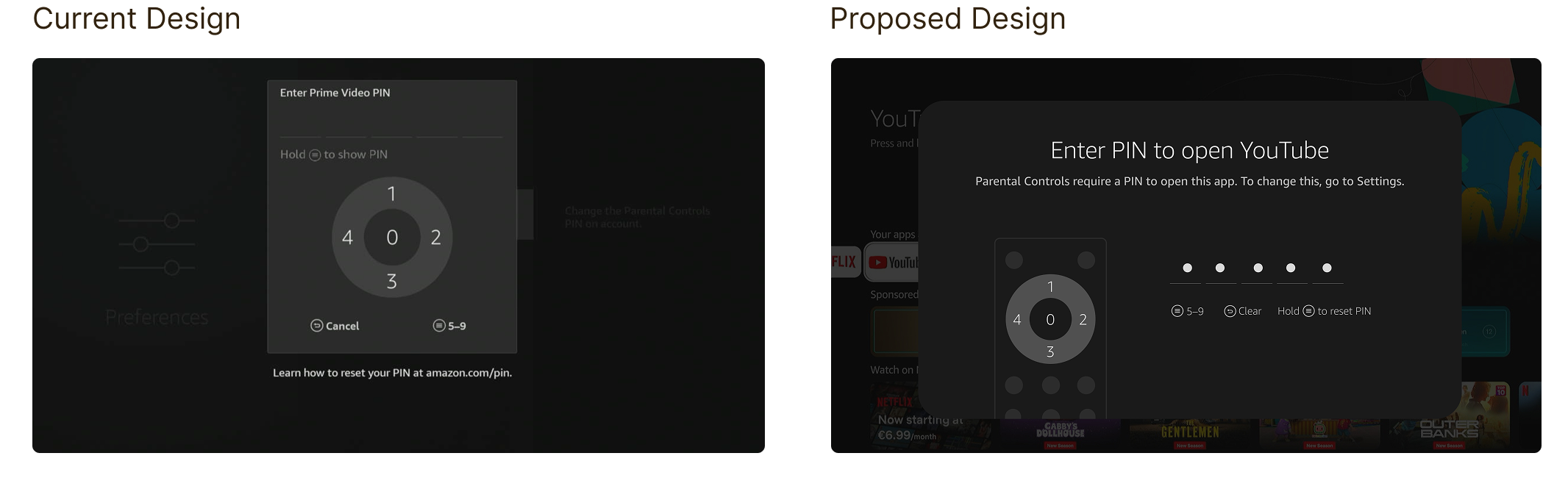
Current Design
- No contextual messaging to explain why the PIN prompt appears.
- No visual guidance to help first-time users interact with the PIN.
Proposed Design
- Added contextual messaging explaining why the PIN is required.
- Added a remote-control illustration highlighting the D-pad button to press, making the interaction easier to understand.
A more connected, on-device recovery flow.
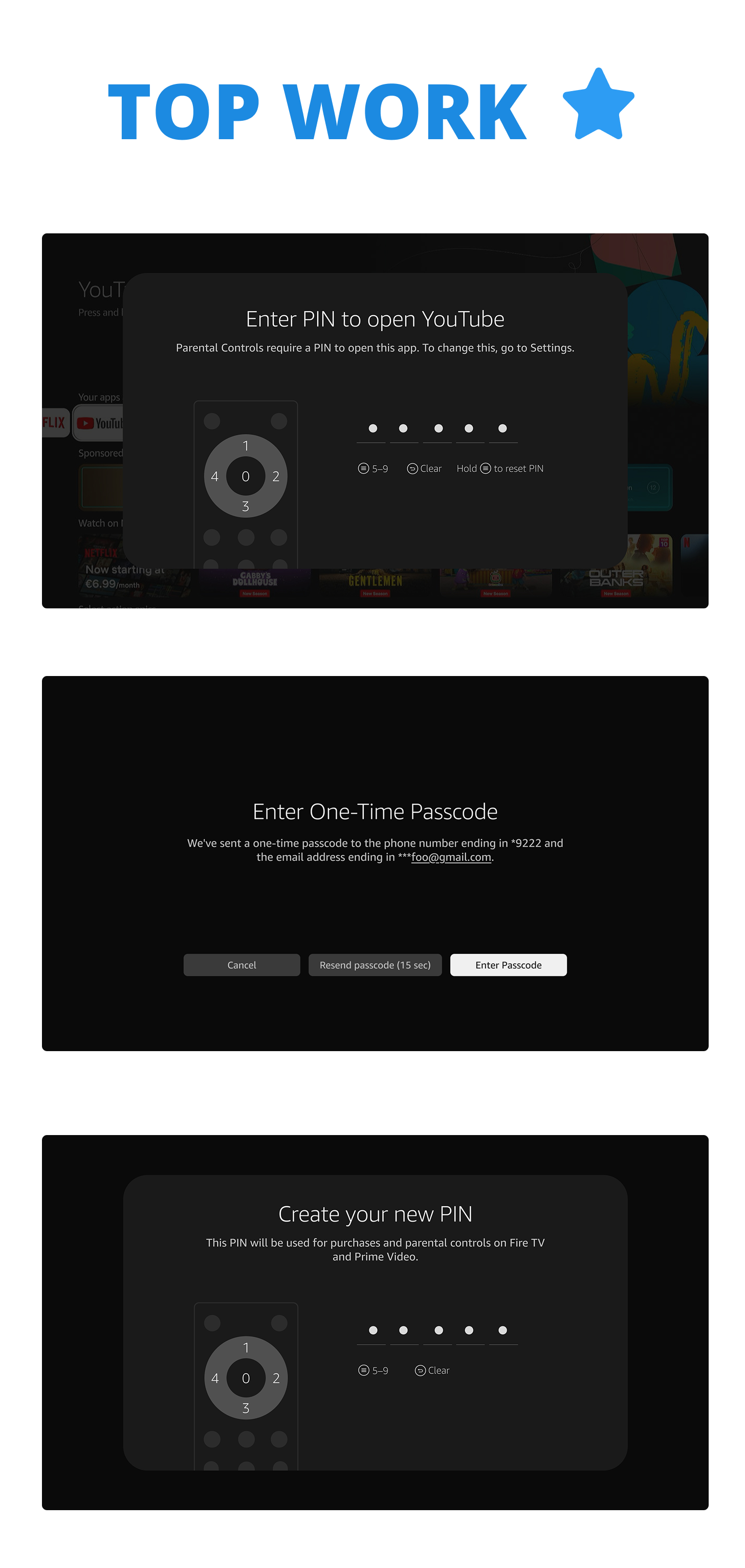
The updated approach uses a one-time passcode to verify the customer's account and keeps the recovery journey on Fire TV as much as possible.
Confirm the reset request
Ask the customer to confirm that they want to send a one-time passcode to their linked phone number.
Verify and create a new PIN
After the one-time passcode is confirmed, guide the customer to create a new PIN and complete the recovery flow.
The end-to-end flow
.png)
What makes this flow effective
- Clear error recovery: Customers understand why their PIN attempt failed and what to do next.
- Discoverable guidance: The Menu-button shortcut gives customers a clear way to initiate a reset.
- Account security: One-time passcode verification confirms account access before allowing a PIN change.
- TV-friendly interaction: Customers complete verification and create their new PIN using the on-screen number pad and remote.
- Successful task completion: The flow ends by opening the app the customer originally wanted to access.
Engineering Handoff & Validation
From design to implementation.
With the overall customer experience confirmed, the focus shifts to finalizing the remaining design and content details before moving into engineering.
- Visual design refinement: Incorporate minor visual updates and finalize the screens.
- UX writing: Update and finalize the new UX copy to ensure clear, consistent messaging throughout the PIN reset flow.
- Engineering handoff: Deliver the finalized screens, interaction specifications, and user flow for implementation.
- Testing & validation: Test the implemented experience on Fire TV, covering the end-to-end PIN reset journey, passcode verification, PIN creation, and error scenarios.